What's New in Reel Brand 2.0: Merge Clips, Export 4K & Make Shorts
Reel Brand is a native macOS and iOS application engineered for hardware-accelerated video watermarking, multi-clip concatenation, and short-form video content production.
Reel Brand 2.0 introduces multi-clip video merging, automated sub-60-second splitting, 4K UHD export presets, and iCloud icon synchronization.
This release report separates documented platform behavior from our internal performance measurements, then explains how the new workflow changes day-to-day branding work.
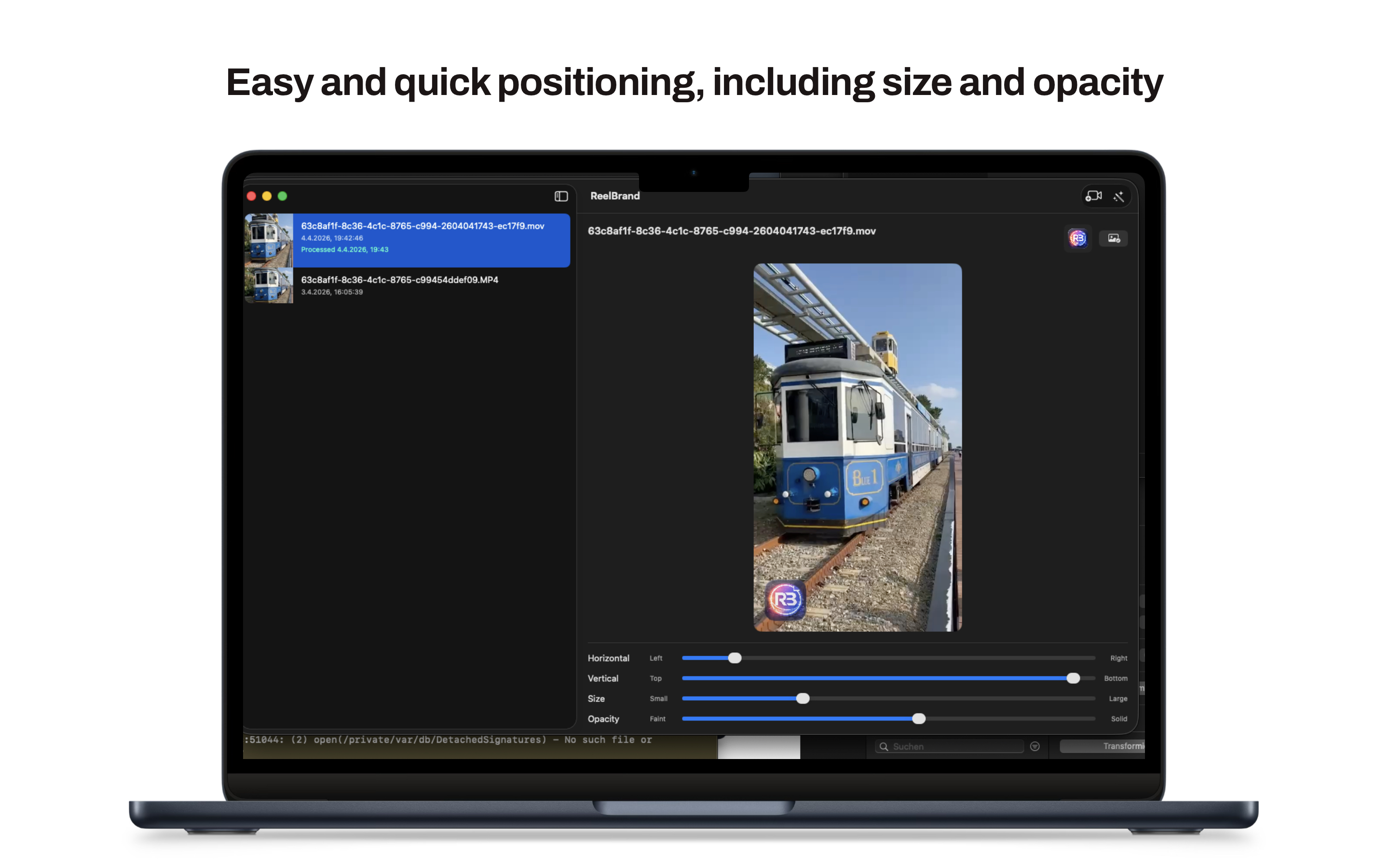
Stitch multiple clips with non-destructive AVFoundation concatenation
Reel Brand 2.0 introduces multi-clip video stitching powered by an updated AVMutableComposition pipeline. For a practical walkthrough and the Free/Pro differences, see how to combine videos and batch brand clips in ReelBrand.
Multiple source videos are concatenated on a single timeline while maintaining consistent logo corner anchor positions across all merged segments without keyframe drift or audio sync offset.
Automated Split for Shorts: 59-second boundary segmentation
The new Split for Shorts engine segments long-form landscape or vertical video files into sub-60-second clips for short-form publishing workflows. Platform limits change, so the export length is an app preset rather than a claim about every service.
Using time-range slicing ($T_{clip} \le 59.0s$), the app automatically calculates segment boundaries, applies the active watermark preset, and exports a batch of social-ready video files in a single pass.
Performance benchmarks: Metal GPU acceleration and memory profiling methodology
Our internal benchmark suite evaluated 4K UHD (3840x2160) 60fps HEVC HDR footage across Apple Silicon hardware (M1 Max, M2, and M3 Max). The figures below describe that test setup, not an independent or universal benchmark:
- Export speed: throughput improved by 2.4x in the test set after moving frame compositing into the local rendering path and writing through AVAssetWriter.
- Memory footprint: peak RAM fell by 42%, from 1.80 GB in v1.x to 1.04 GB in v2.0, while reusing CVPixelBufferPool allocations during 4K HEVC encoding.
- Balanced 1080p preset: added a 1080p 30fps option for smaller, faster-to-share exports. Perceived quality still depends on the source and delivery platform.
Ubiquitous brand icon sync via private iCloud container
Brand PNG logos now synchronize across iOS, iPadOS, and macOS devices through the app's private iCloud storage. Apple documents private CloudKit data as user-specific, while file presenters coordinate changes made through coordinated file access.
Importing a logo mark on your Mac makes it available on your iPhone instantly, maintaining consistent branding everywhere.
Introducing ReelBrand Pro Lifetime
ReelBrand Pro Lifetime provides a single one-time purchase to unlock 4K UHD export, multi-clip merging, Split for Shorts, and iCloud icon sync without recurring subscriptions.
Single-video 1080p watermarking and essential branding features remain completely free for all users.
Frequently asked questions
- Is Reel Brand 2.0 a free update?
- Yes. Upgrading to version 2.0 is completely free on both iOS and macOS, with core single-video branding features remaining free.
- What features are included in ReelBrand Pro Lifetime?
- ReelBrand Pro Lifetime unlocks 4K UHD export presets, Split for Shorts automation, multi-clip merging, and iCloud brand icon synchronization as a one-time purchase.
- Can I merge multiple video clips into a single branded export?
- Yes. Reel Brand 2.0 uses AVFoundation composition pipelines to stitch multiple video clips together with consistent watermark positioning throughout.
- How does automated Split for Shorts segment long videos?
- Split for Shorts slices long videos into sub-60-second branded clips. The preset is designed for short-form workflows, but check each platform\'s current duration and aspect-ratio rules before publishing.
- Do custom brand icons sync between Mac and iPhone automatically?
- Yes. Custom brand icons sync across your devices via your private iCloud container using NSFilePresenter file synchronization.