What's New in Imagario: Catalog-Free Photo Culling, EXIF Inspector & Pro Lifetime
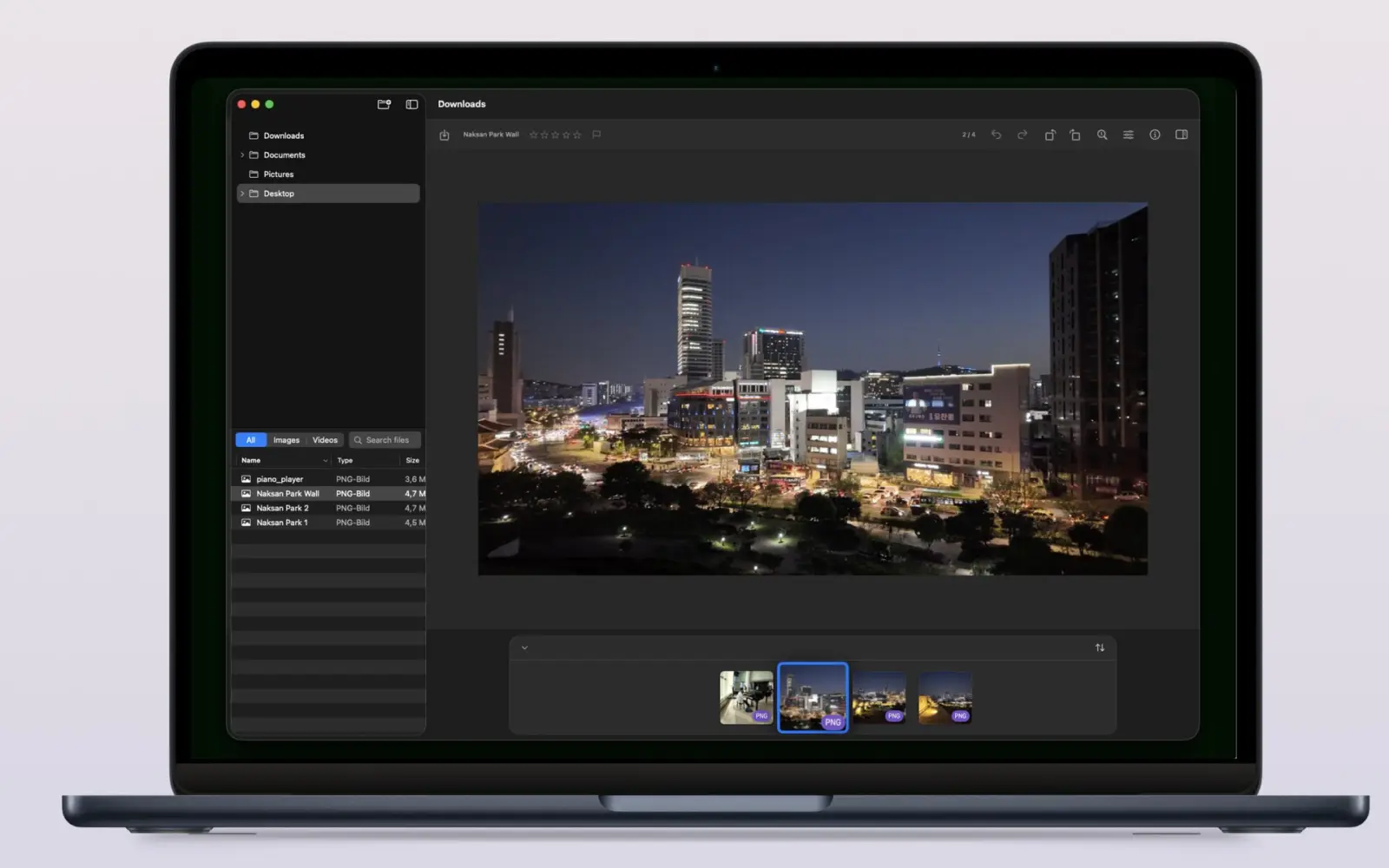
Imagario is a native macOS photo browser for reviewing shoots without first importing them into a catalog. Open a folder, inspect images and EXIF/GPS data, rate frames, and collect keepers while leaving the source folder in place.
The latest release brings the workflow together around direct folder browsing, a lazy folder tree, non-destructive keeper collections, light image adjustments, and an optional Imagario Pro Lifetime upgrade for professional formats and media.
This update report explains what the free workflow covers, what Pro adds, and why a folder-based browser can be a useful middle ground between Finder and a full photo-management library.
Why catalog-free browsing helps with photo culling
A catalog is useful when you want a long-term searchable library, but it adds an import step before you can judge a new card or working folder. Imagario takes the opposite approach: open the folder you already have and start reviewing it in place.
The sidebar loads the folder tree on demand. That keeps the first decision simple: choose a folder, inspect the shoot, then decide which files deserve a collection or a larger editing workflow.
This is useful for photographers who move between camera cards, external SSDs, client folders, and temporary selects. The app is a review surface, not a second copy of the whole library.
Inspect EXIF, IPTC, and GPS metadata before you choose
Metadata helps answer questions that pixels alone cannot: which camera and lens made the frame, when it was captured, which exposure settings were used, and whether the file carries a location tag. Imagario puts those fields beside the image while you review the shoot.
The inspector is useful for comparing similar frames, checking a camera-clock problem, finding a GPS tag before sharing, or confirming copyright and authoring information. It also keeps metadata inspection close to culling, where those decisions naturally happen.
Apple Image I/O is the system framework behind image format and metadata access on macOS. Its image-destination APIs support writing metadata and excluding GPS or XMP data when an application creates an output file. See the Apple Image I/O documentation in the sources below.
What the free Imagario workflow includes
The free tier is built for standard-image review and everyday culling. It does not require a subscription or a daily viewing allowance.
- Open JPEG, HEIC, PNG, GIF, and TIFF folders directly on your Mac.
- Rate frames from 0 to 5 and mark Picks or Rejects while reviewing a shoot.
- Use light tone adjustments, rotation, cropping, and safe keeper collections.
- Inspect EXIF/GPS metadata and remove sensitive metadata before sharing a copy.
- Keep source folders separate from the collection so culling decisions do not reorganize the original shoot.
Keep culling separate from the original shoot
Culling should reduce uncertainty, not create a new file-management problem. Imagario stores ratings and curation separately, then lets you gather selected photos into a collection without moving or renaming the source folder.
That boundary matters when a card is still being backed up, when a client expects the camera folder structure to remain unchanged, or when you want to compare your selects with another reviewer later.
For privacy, the same rule applies to metadata work: verify the copy you plan to deliver or publish. A private library view does not guarantee that an exported file has no GPS location data.
What Imagario Pro adds for professional media libraries
Pro is for photographers whose working folders contain more than standard still images. It extends the same folder-based review workflow to professional RAW formats, video, and HDR viewing instead of forcing a format handoff before you can make a first selection.
- Camera RAW support for CR3, NEF, ARW, RAF, ORF, RW2, and DNG files.
- Additional Pro image support for JXL and AVIF files.
- Native MP4 and MOV playback inside the shoot browser.
- HDR viewing on supported Mac displays.
- PNG poster-frame export from video.
- Advanced EXIF, IPTC, and geotag inspection for deeper metadata review.
The current Imagario listing presents Pro as a $19.99 one-time purchase with no subscription. The free tier remains the right choice for standard-image culling; Pro makes sense when RAW, JXL, AVIF, video, HDR, or deeper inspection is part of the library you already have.
How to decide whether Pro is worth it
- Stay with Free if your shoots are mainly JPEG, HEIC, PNG, GIF, or TIFF and you need browsing, ratings, inspection, or metadata removal.
- Choose Pro if your camera produces CR3, NEF, ARW, RAF, ORF, RW2, or DNG files, or your library includes JXL or AVIF images.
- Choose Pro if video clips belong beside your stills and you want MP4/MOV playback or PNG poster-frame export during review.
- Choose Pro if HDR viewing and advanced metadata inspection reduce a separate step in your existing workflow.
- Choose either tier if local folders, no required account, and no cloud processing are important to you.
Frequently asked questions
- Is Imagario free for photo culling on Mac?
- Yes. Core catalog-free folder browsing, non-destructive keeper copying, and EXIF/GPS inspection are completely free with no subscriptions or limits.
- What features does Imagario Pro unlock?
- Imagario Pro unlocks camera RAW formats, JXL and AVIF image support, MP4 and MOV playback, HDR viewing on supported Mac displays, PNG poster-frame export, and advanced EXIF, IPTC, and geotag inspection as a one-time purchase.
- Does Imagario import my photos into a catalog database?
- No. Imagario reads folders directly from SD cards or external hard drives without importing files into a database library.
- Does Imagario modify my original camera files during culling?
- No. Imagario keeps source folders separate while ratings and curation are stored independently. Selected keepers are gathered into a separate collection.
- Can Imagario remove GPS location data before sharing?
- Yes. Use the metadata tools on the copy you plan to share, then reopen that output and confirm the GPS fields are gone. Apple Photos also offers Image > Location > Hide Location for Photos-library sharing workflows.
- Is Imagario Pro a subscription?
- No. The current Imagario listing presents Pro as a $19.99 one-time purchase with no subscription.