JsonXmlEditor Now Works on macOS Sonoma: JSON and XML Tools for Older Macs
Your Mac can still handle development work even when an app asks for a newer operating system. The current Mac App Store listing for JsonXmlEditor says macOS 14.6 or later. If your Mac runs Sonoma 14.6, you can use the current JSON and XML workspace without upgrading to Sequoia first.
That matters when your Mac is stable, your team has a fixed deployment image, or a hardware limit makes the next OS upgrade impractical. We brought the app’s deployment target back to macOS 14 in version 1.8.0, then continued shipping the same editor, REST, and code-generation workflows. Here is what stands out and how current alternatives compare.
What changed for Sonoma users?
JsonXmlEditor 1.8.0 lowered the deployment target to macOS 14, according to our release notes. The current App Store compatibility field gives the more precise install requirement: macOS 14.6 or later. We use that App Store figure for this article because it is the requirement a person sees before downloading.
Version 1.8.0 also added cURL import for the REST client, XML tag autocomplete, Finder Open With integration, and collapsible REST request sections. Version 1.8.1 improved Finder opening and automatic clipboard detection for JSON, XML, YAML, and Markdown. These are useful features in the current build, not a stripped-down legacy edition.
We have not published a Sonoma-specific startup or memory benchmark. The compatibility claim is about the supported OS floor, not a promised speedup on every older Mac. Hardware, file size, and available memory still affect performance.
See source, formatted output, and errors together
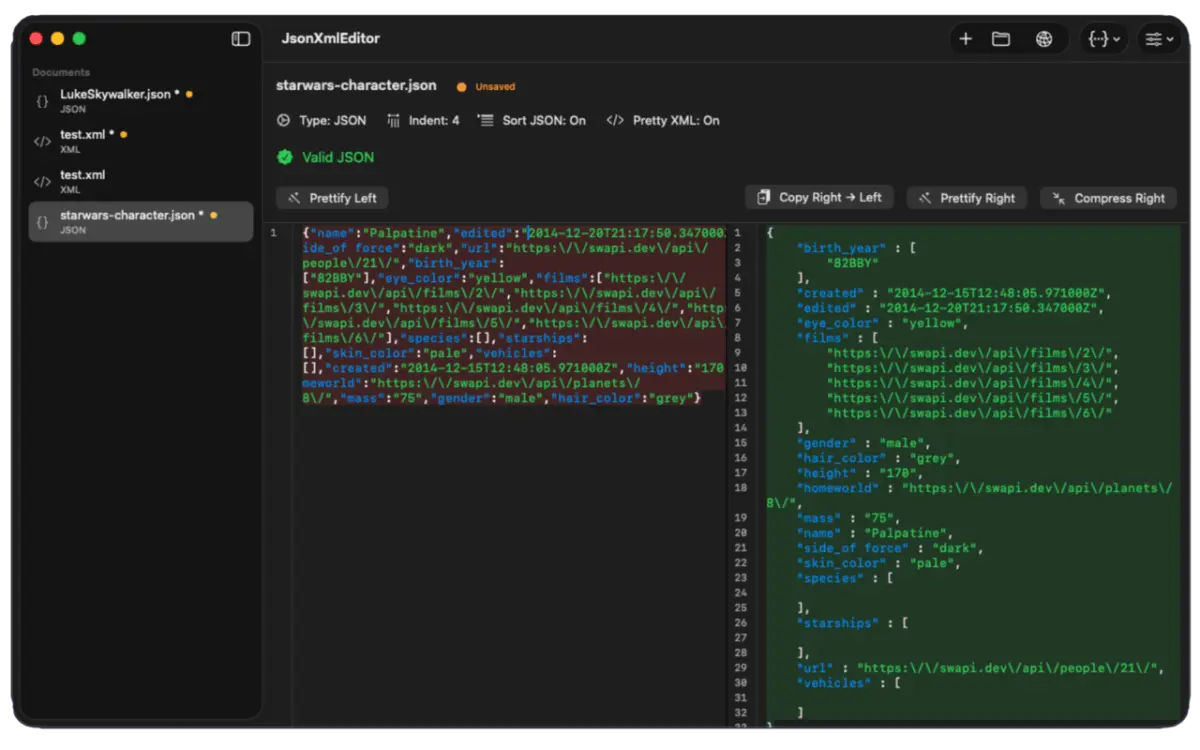
The side-by-side editor is the quickest reason to try JsonXmlEditor. Edit raw JSON or XML on the left; inspect validated, formatted output on the right. Live format detection, syntax highlighting, line numbers, and one-click prettify or compress controls keep the feedback close to the text you are changing.
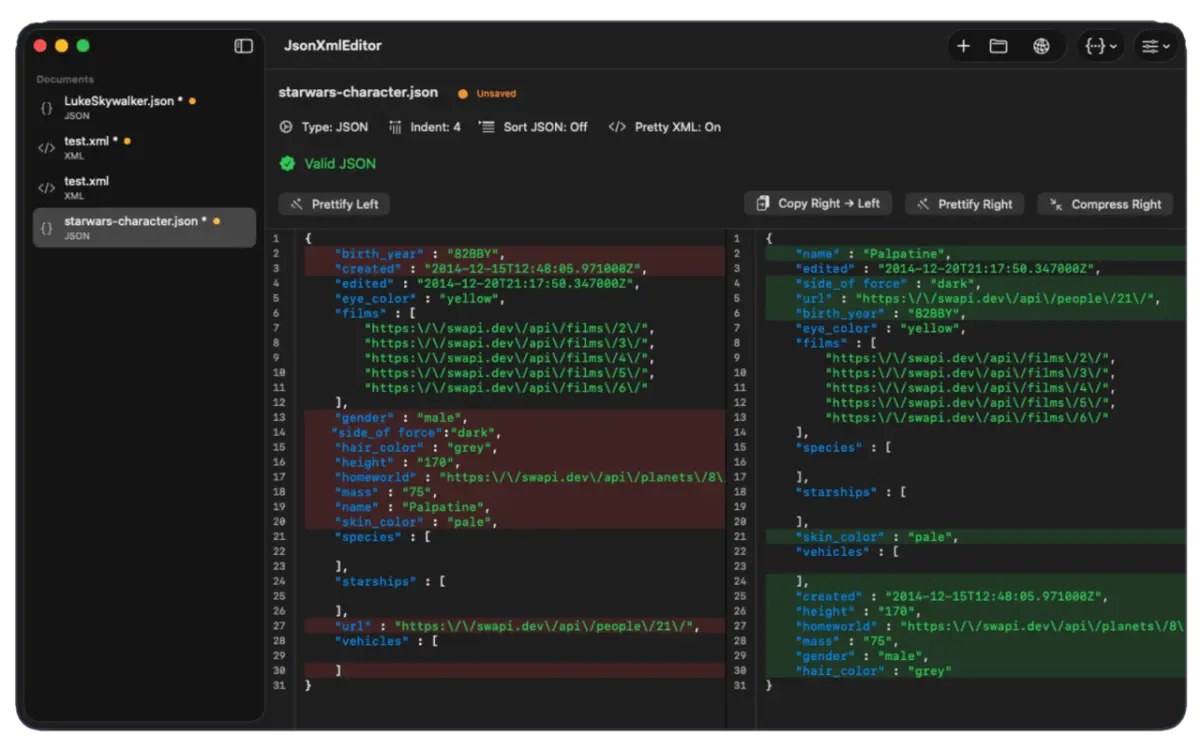
When a payload fails validation, the app reports the parser error and points to its line and column. Diff colors show removed or changed lines beside additions. That helps you spot a changed field or misplaced delimiter before you save or share a response. For a practical walkthrough, see our JSON formatting and debugging guide.
Carry an API response through the whole workflow
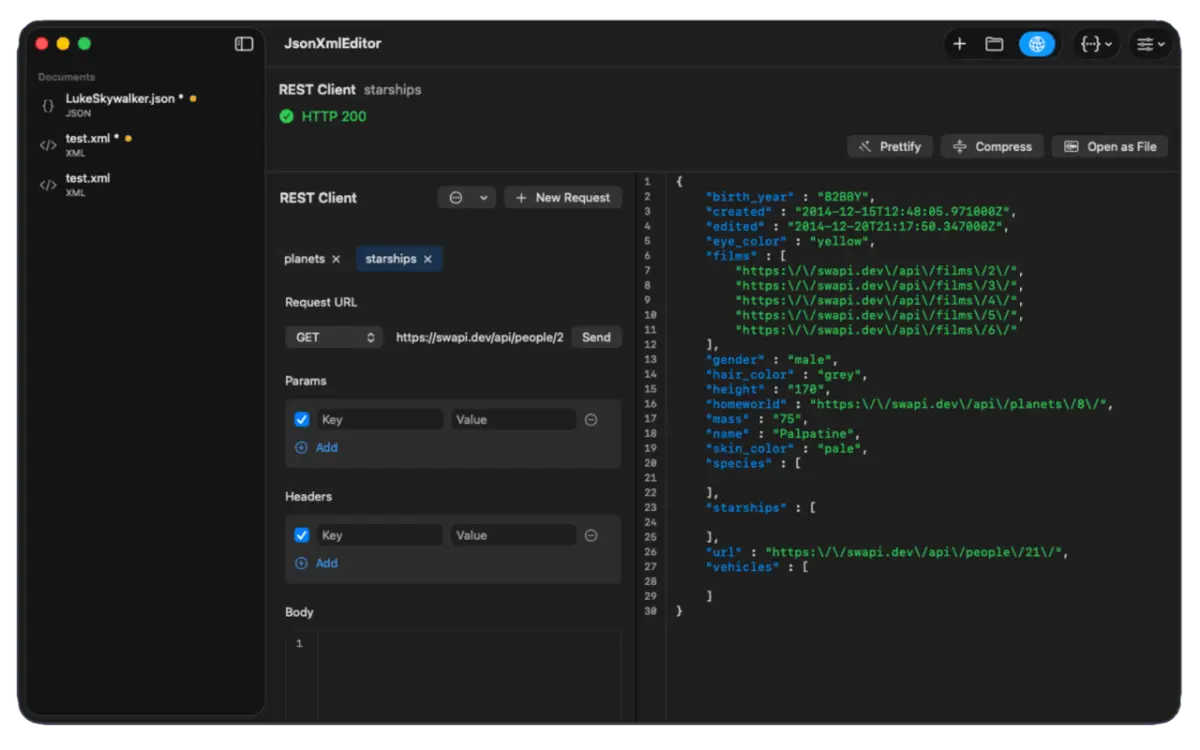
JsonXmlEditor can move a response from request to inspection without another app. The built-in REST client handles common HTTP methods, query parameters, headers, and request bodies. You can import a cURL command, inspect status, response headers, and body, then open the response as an editor document.
From there, use JSONPath or XPath to locate a nested value. Nested JSON stored inside a string can open in its own tab. When you need a model, generate a DTO from a valid JSON object for Swift, TypeScript, PHP, Go, Python, C#, or Java. A PHP endpoint generator is also available for request and response scaffolding. See our JSONPath example and REST-to-Swift guide for the next steps.
Which similar tools leave Sonoma behind?
Several current JSON and code tools have a higher published macOS minimum than JsonXmlEditor. We checked vendor download pages and Mac App Store compatibility fields on October 2, 2026. This is a sample of current editions, not a claim about every editor or any vendor’s past versions.
- JsonXmlEditor: Apple lists macOS 14.6 or later.
- OK JSON: Apple lists macOS 15.0 or later.
- Pretty JSON Formatter: Apple lists macOS 15.0 or later.
- Textastic: Apple lists macOS 15.0 or later. It is a broader code editor, so its workflow differs.
- Unfiled: Its official download page lists macOS 15 or later and Apple silicon.
A Sonoma 14.6 Mac meets JsonXmlEditor’s listed OS requirement but not those four current requirements. Compatibility alone does not rank their editing features. Check each app’s current listing again before making a purchase or deployment decision.
Do any alternatives still support older macOS?
Yes. It would be wrong to say the entire category has abandoned older systems. JSON Editor’s App Store listing requires macOS 11 or later, and Postman’s desktop requirements also start at macOS 11. XML Edita lists macOS 14 or later. These are real options for Macs outside JsonXmlEditor’s 14.6 floor or for workflows with different needs.
JsonXmlEditor’s appeal is its particular combination: native side-by-side JSON/XML editing, live error location and diff, a REST workspace, path queries, and multi-language model generation. If you mainly need a full-featured API collaboration platform or a general code editor, compare those specialized tools on their own terms.
Keep local files local, then try your next payload
Our privacy architecture says editor documents are processed on your Mac, with no account, analytics, or tracker SDK. REST requests are different by design: sending one transmits the request to the endpoint you choose. Review tokens, customer data, and target URLs before pressing Send.
If your Mac runs Sonoma 14.6 or later, download JsonXmlEditor free from the Mac App Store. Open a JSON or XML file, watch the formatted output update, then try a query or a saved API response. The product page shows the full feature set and release notes.
Frequently asked questions
- Does JsonXmlEditor work on every macOS Sonoma release?
- No. The current Mac App Store listing requires macOS 14.6 or later. A Mac on Sonoma 14.0 through 14.5 does not meet that listed minimum.
- Can I install JsonXmlEditor on macOS Ventura 13?
- The current App Store listing starts at macOS 14.6, so Ventura 13 is below its listed requirement. Check the store listing for the build you intend to install.
- Is JsonXmlEditor free?
- Yes. The current Mac App Store listing offers a free download with optional in-app tips. Check the listing for current terms.
- Does the REST client keep requests offline?
- No. Editor documents are processed locally, but a REST request is sent over the network to the endpoint you choose.