Natiivi Mac-kuvaselain ja katseluohjelma
Käy kuvaus läpi ja säilytä vain ne kuvat, jotka todella haluat.
Imagario on natiivi Mac-kuvaselain ja katseluohjelma, joka on tehty karsintaan: kuvauksen läpikäyntiin, ruutujen arviointiin, kevyisiin säätöihin ja parhaiden valintaan. Avaa mikä tahansa kansio ilman tuontia ja ilman luetteloa.

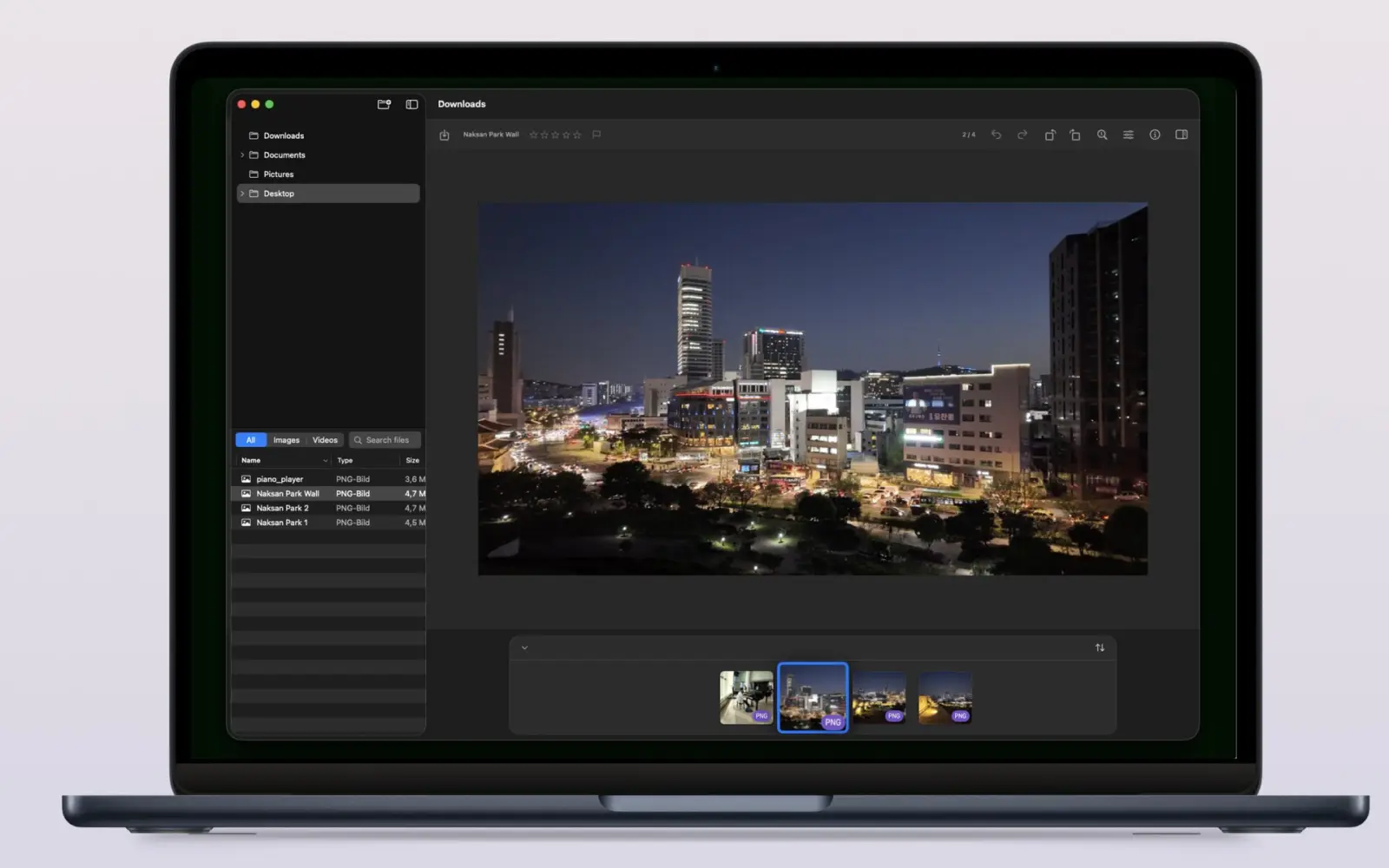

Imagario lyhyesti
Imagario on natiivi macOS-kuvaselain, katseluohjelma ja karsintatyökalu. Se avaa minkä tahansa kansion suoraan — ei luetteloa, ei tuontia — ja tarjoaa tähtiarviot, Valitse/Hylkää-merkinnät, kevyet ei-tuhoavat säädöt, täydet EXIF- ja GPS-tiedot sekä WCAG-saavutettavuuden.
Karsinta ilman luetteloa
Tähtiarviot (0-5), Valitse/Hylkää-merkinnät (P/X) ja nopea kansioselaus.
Kevyet säädöt ja metatiedot
Sävysäädöt, kierto, EXIF-tarkastelu ja GPS-kartan esikatselu.
WCAG-saavutettava ja yksityinen
Täyttää WCAG 2.1 AA -ohjeet (v1.2.0); hiekkalaatikossa, ilman telemetriaa ja pilveä.
Miten kuvauksen kuvat karsitaan Macilla?
Avaa kuvauksen kansio Imagariossa, arvioi ruudut 0-5 numeronäppäimillä, merkitse Valitut (P) tai Hylätyt (X), säädä kevyesti valotusta ja kontrastia ja vedä parhaat kokoelmaan — alkuperäiset tiedostosi eivät muutu koskaan.
- 1 Avaa mikä tahansa kansio ja pidä sen koko rakenne käsillä sivupalkin puussa.
- 2 Arvioi kuvat 0-5 tai merkitse Valitut (P) ja Hylätyt (X) yhden näppäimen pikanäppäimillä.
- 3 Zoomaa ja panoroi Macin natiiveilla eleillä ja tarkastele jokaista yksityiskohtaa.
- 4 Rajaa, tee kevyitä sävysäätöjä tai poista metatietoja ja tallenna muutokset turvallisina kopioina.
Tehty sille tavalle, jolla Macilla työskennellään
Imagario yhdistää kansiopohjaisen kuvaselaimen, tähtiarviot, Valitse/Hylkää-merkinnät, kevyet ei-tuhoavat säädöt, täyden EXIF- ja GPS-metatietojen tarkastelun sekä WCAG-saavutettavuuden.
- Kansiopuu tarpeen mukaan Sivupalkki lataa suuret kirjastot vasta tarvittaessa — avaa vain ne haarat, joita tarvitset.
- Tähtiarviot ja Valitse/Hylkää-merkinnät Arvioi kuvat 0-5 numeronäppäimillä, merkitse Valitut (P) tai Hylätyt (X) ja tyhjennä arviot (U) karsiaksesi salamannopeasti.
- Macin natiivit eleet Nipistyszoomaus, kahden sormen panorointi, Komento-vieritys ja nuolinäppäinnavigointi tuntuvat aivan natiivilta Mac-sovellukselta.
- Kevyet ei-tuhoavat säädöt Säädä valotusta, kirkkautta, kontrastia, huippuvaloja, varjoja, eloisuutta, lämpöä, kylläisyyttä, terävyyttä ja kiertoa ei-tuhoavien kaksoiskappaleiden avulla.
- Täysi metatietojen tarkastelu Tiedosto, kuva, otos, kamera, objektiivi, valotus, tekijä, sijainti ja lisäkentät — kaikki yhdessä järjestettävässä paneelissa.
- Metatietojen ja EXIF-tietojen poisto Poista arkaluonteiset EXIF-, IPTC- tai sijaintimetatiedot kuvista ennen jakamista.
- Rajaus, vedä ja pudota sekä Finder-käyttö Rajaa vetokahvoilla, pikanäppäimillä tai pikavalikoilla. Pudota kansioita ja kuvia ikkunaan ja näytä mikä tahansa tiedosto Finderissä.
- RAW-muodot ja video PRO Ilmaisversio käsittelee JPEG-, HEIC-, PNG-, GIF- ja TIFF-tiedostoja. Imagario Pro avaa RAW-muodot (CR3, NEF, ARW, RAF, ORF, RW2, DNG, JXL, AVIF), videon (MP4, MOV), HDR-katselun, ruutujen viennin ja EXIF-metatietojen muokkauksen.
Imagario Pro
Avaa ammattitason RAW-tuki, HDR-katselu, videotyökalut ja EXIF-metatietojen muokkaus yhdellä ostolla.
- Ammattitason RAW-muodot Tuki muodoille CR3, NEF, ARW, RAF, ORF, RW2, DNG, JXL ja AVIF.
- Videon toisto ja esikatselu MP4- ja MOV-tiedostojen natiivi toisto suoraan kuvausselaimessa.
- HDR-näyttö Laajan dynamiikan katselu tuetuilla Mac-näytöillä.
- Videoruutujen vienti Poimi videosta korkearesoluutioisia PNG-pysäytyskuvia.
- EXIF- ja metatietojen muokkaus Muokkaa EXIF-, IPTC- ja sijaintimetatietoja.
Kokoa valikoima vaarantamatta alkuperäisiä
Valinta on Imagariossa ei-tuhoavaa: valitut kuvat kerätään kopioina erilliseen kokoelmaan, joten alkuperäisiä kansioitasi ei koskaan siirretä, nimetä uudelleen eikä muuteta. Selaaminen ja valinta pysyvät erillään.
- Arvioi kuvat 0-5 tai merkitse ne Valituiksi (P) / Hylätyiksi (X).
- Vedä pikkukuvia kokoelman pudotusalueelle sitä mukaa kuin ne osuvat silmään.
- Tee kevyitä sävysäätöjä ja tallenna ei-tuhoavia kaksoiskappaleita.
- Siirrä kokoelman kopiot roskakoriin koskematta lähdekansioon.
Kenelle Imagario on tehty
- Valokuvaajat Karsi kuvaukset nopeasti arviointipikanäppäimillä, Valitse/Hylkää-merkinnöillä ja kevyillä sävysäädöillä.
- Matkailijat Palaa paikkamuistoihin sisäänrakennettujen GPS-karttaesikatselujen avulla.
- Arkistoijat Tarkastele kaikkia metatietoja ja poista arkaluonteiset EXIF-kentät ennen julkaisua.
Screenshots
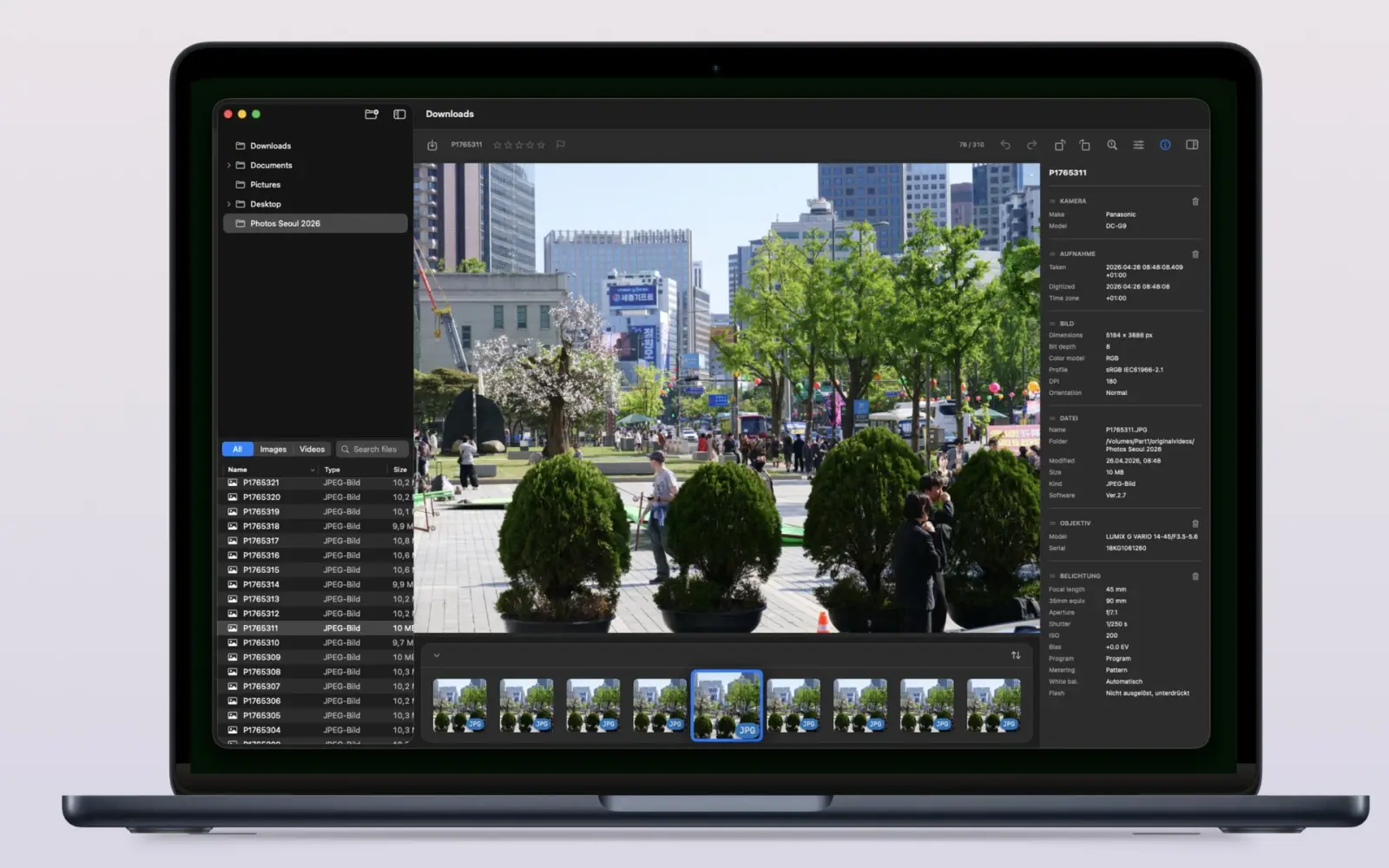
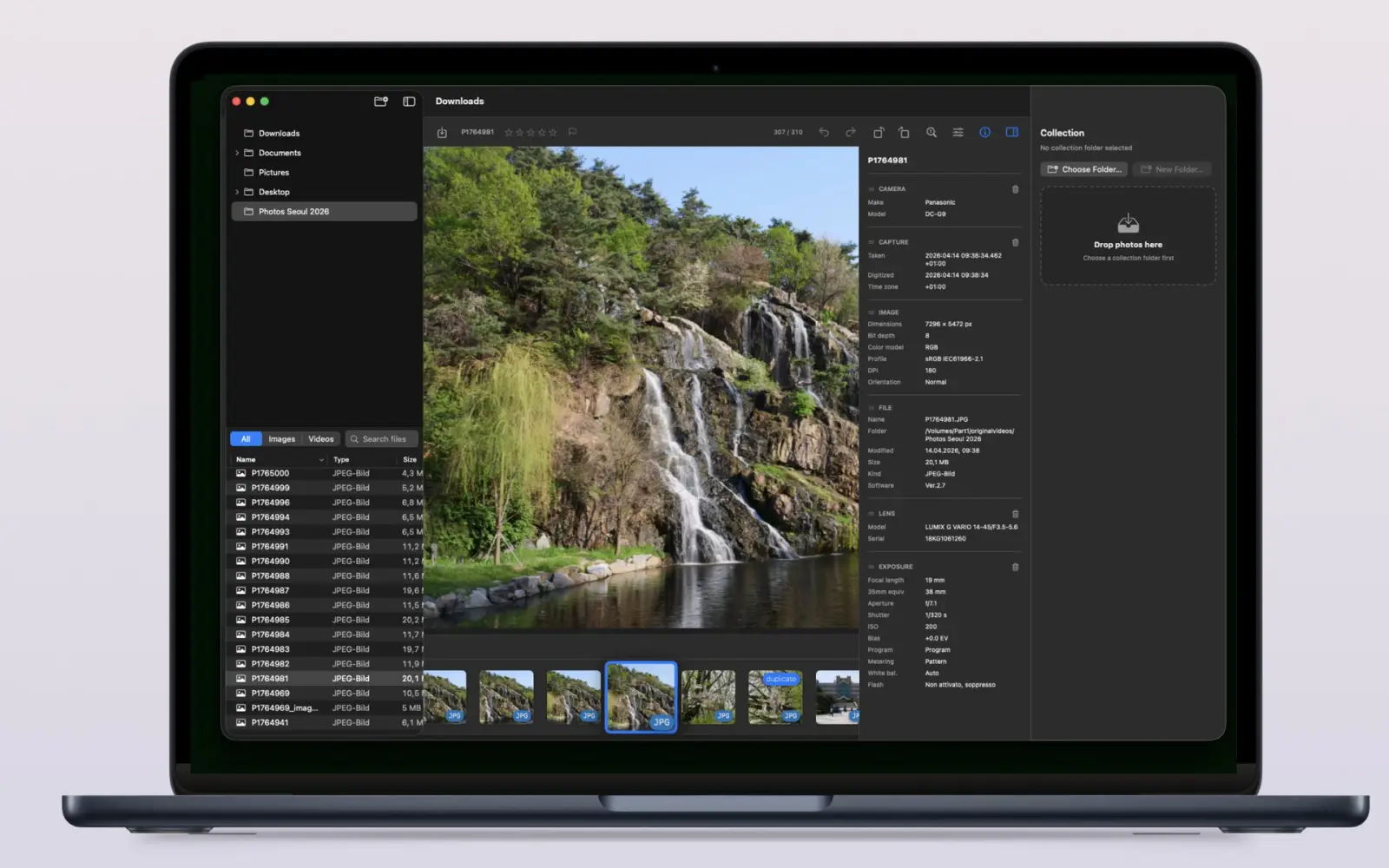
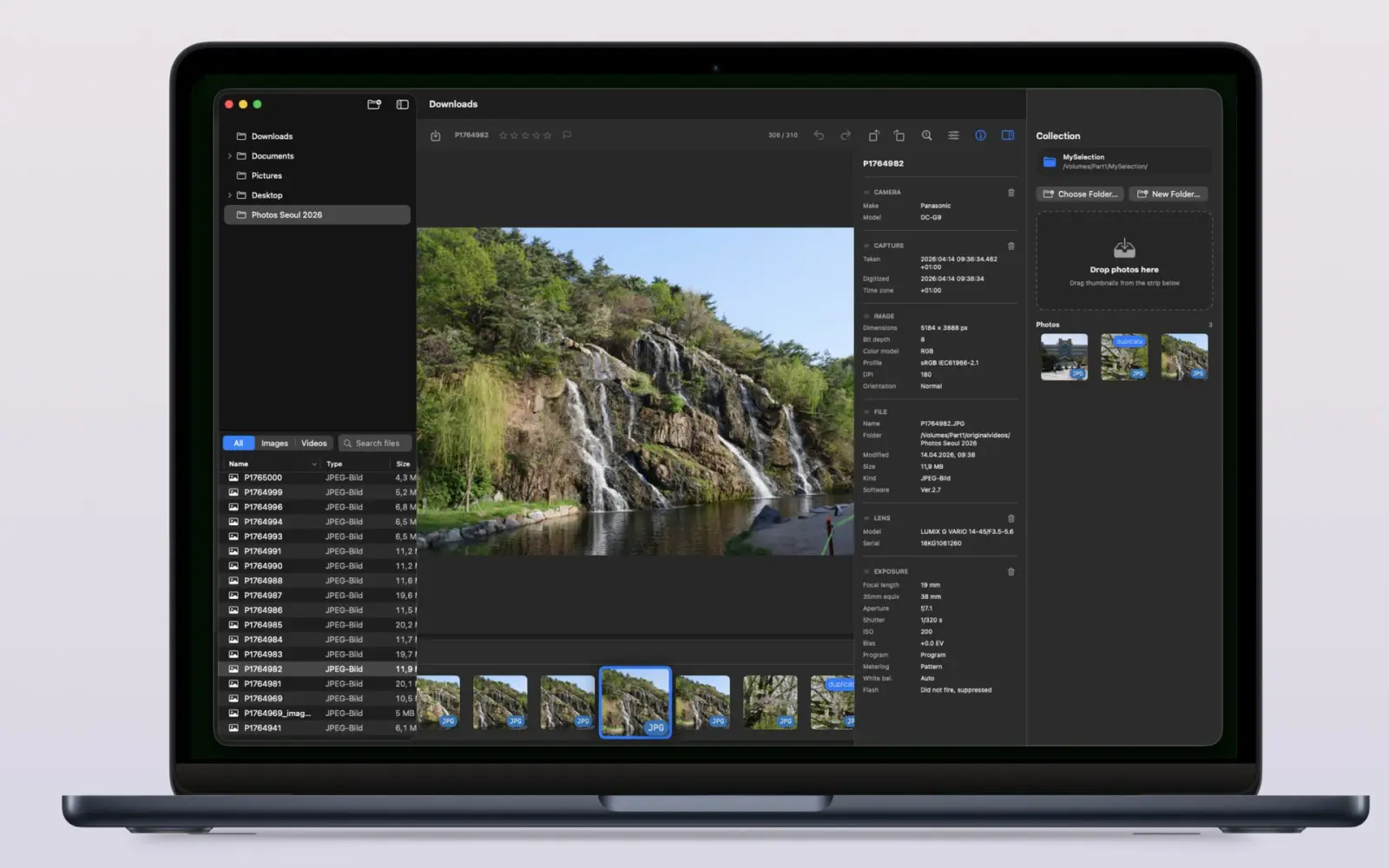
Yksityinen ja saavutettava lähtökohdiltaan
- Hiekkalaatikossa — sinä valitset, mitkä kansiot avataan
- Suojatut kirjanmerkit muistavat lähde- ja kokoelmakansiosi
- Ei tilejä, ei telemetriaa, ei pilveä
Suunniteltu saavutettavuusohjeet huomioiden.
Usein kysytyt kysymykset
Mikä Imagario on?
Imagario on natiivi Mac-kuvaselain, katseluohjelma ja karsintatyökalu. Avaa mikä tahansa kansio käydäksesi kuvauksen nopeasti läpi, arvioi ruudut (0-5), merkitse Valitut/Hylätyt, tee kevyitä sävysäätöjä, tarkastele EXIF- ja GPS-tietoja ja kerää parhaat talteen.
Mitä kuvien karsinta tarkoittaa?
Karsinta tarkoittaa kuvauksen läpikäyntiä ja parhaiden ruutujen valintaa. Imagario nopeuttaa tätä 0-5-arviointipikanäppäimillä, Valitse (P)- ja Hylkää (X) -merkinnöillä, nopealla pikkukuvanauhalla ja ei-tuhoavalla kokoelmalla.
Muuttaako Imagario alkuperäisiä kuviani?
Ei. Valinta on ei-tuhoavaa: alkuperäiset kansiot säilyvät koskemattomina, kun valitut kuvat tai kevyet säädöt kootaan kopioina erilliseen kokoelmaan (`_imagario`).
Pitääkö kuvat tuoda luetteloon?
Ei. Imagario avaa kansiot suoraan — sivupalkin puu lataa suuret kirjastot tarpeen mukaan, joten tuontivaihetta ei ole eikä luetteloa tarvitse ylläpitää.
Voiko Imagario muokata kuviani?
Imagario keskittyy karsintaan, mutta sisältää kevyet ei-tuhoavat sävysäädöt (valotus, kirkkaus, kontrasti, huippuvalot, varjot, eloisuus, lämpö, kylläisyys, terävyys), kierron ja EXIF-metatietojen poiston. Muokkaukset tallentuvat kaksoiskappaleisiin, ja alkuperäiset säilyvät koskemattomina.
Onko Imagario yksityinen?
Kyllä. Imagario toimii hiekkalaatikossa, joten se näkee vain ne kansiot, jotka avaat itse. Se ei käytä tilejä, telemetriaa eikä pilvipalveluita, eikä kuviasi käytetä koskaan tekoälyn kouluttamiseen.
Kysyttävää tai palautetta?
Jos haluat ehdottaa ominaisuuksia, ilmoittaa ongelmista tai kertoa, mikä tekisi Imagariosta hyödyllisemmän työnkulussasi, lähetä viesti milloin tahansa.
- Sähköpostituki development@thelittlebakery.org
- Tavallinen vastausaika kahdessa arkipäivässä
Muutosloki
Imagarion julkaisutiedot macOS:lle.
-
v1.2.0 macOS
- Rajaustyökalu vetokahvoilla, pikanäppäimillä ja hiiren oikean painikkeen valikoilla.
- Vedä kansioita ja kuvia suoraan ikkunaan ja avaa tiedostoja Finderissä pikavalikosta.
- Sovelluksen sisäinen käyttäjän ohje kaikilla tuetuilla kielillä.
- Välittömät kuvansäädöt, älykkäämpi kaksoisnapsautuszoomaus ja parempi metatietojen lajittelu.
- ”Näytä todellinen koko” keskittää kuvat nyt odotetusti.
-
v1.1.1 macOS
- Pieniä virheenkorjauksia ja koodiparannuksia.